

We want to make protecting your special pet as straightforward as possible. While we are working on making our website even more user-friendly, we know that finding where to enter a promotional code can sometimes be a little tricky.
If you have a discount code, simply follow these four easy steps to apply your savings.
Step 1: Start your quote
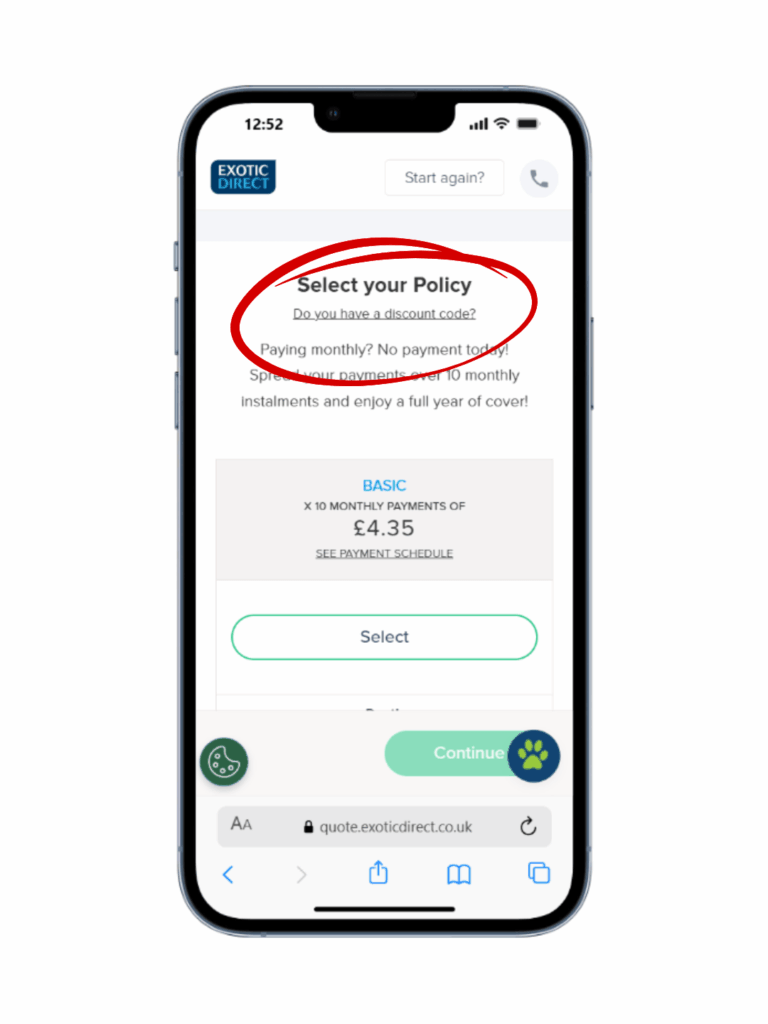
Begin by going through the standard process of getting a quote. Enter your pet’s details and your own information as usual. Once you reach the screen where you are asked to select your policy, look for the text that asks: “Do you have a discount code?”
Step 2: Enter your code
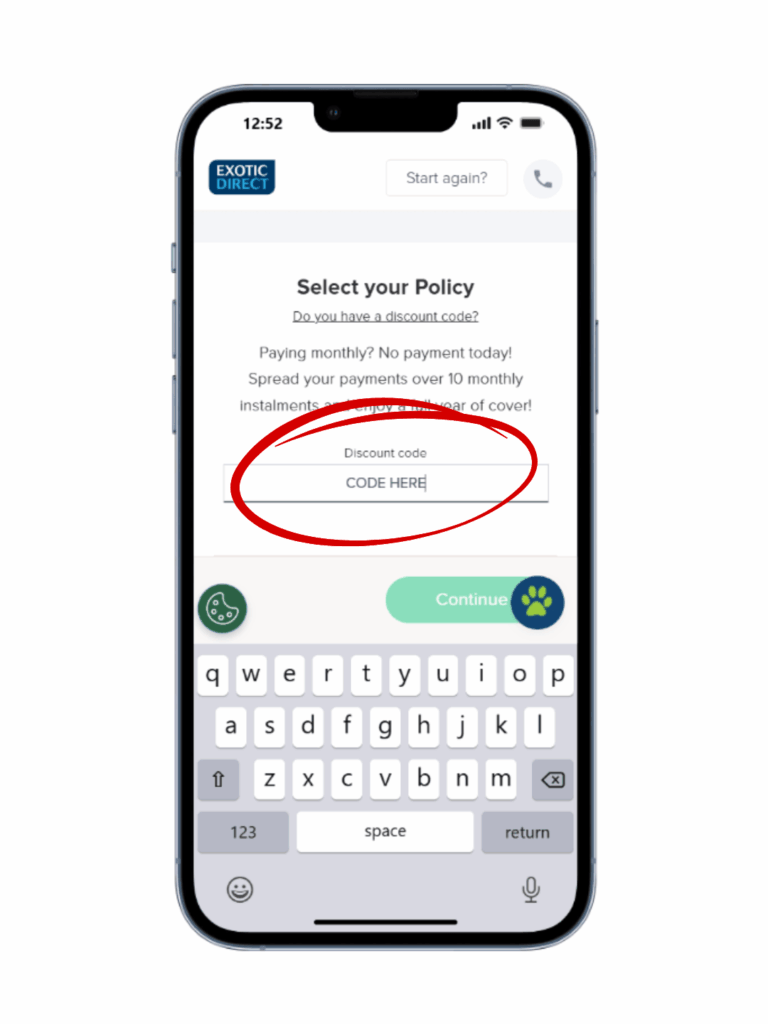
Type your specific code into the textbox that appears. Once you’ve entered it, simply scroll down the page to view the different policy options available for your pet.
Note: These prices do not include your discount yet.
Step 3: Choose your level of cover
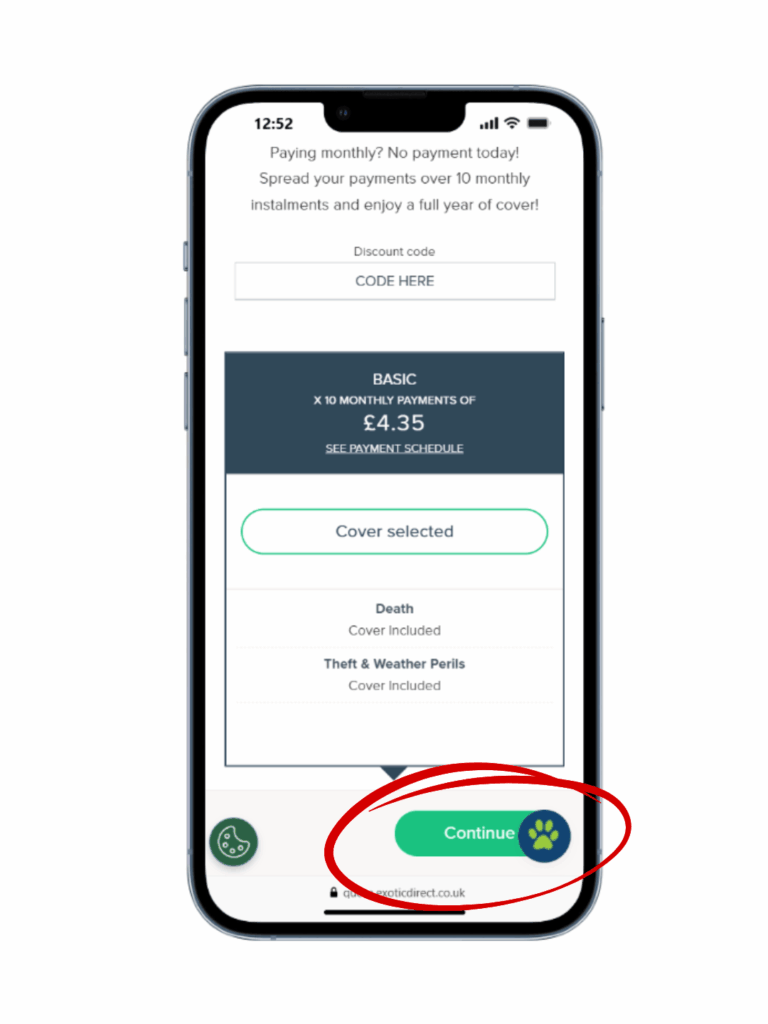
Take a moment to read through each policy option to ensure it’s the right fit for your needs. Whether you’re looking for basic illness cover or more comprehensive protection, select the plan you want and click “Continue.”
Step 4: Confirm your discount
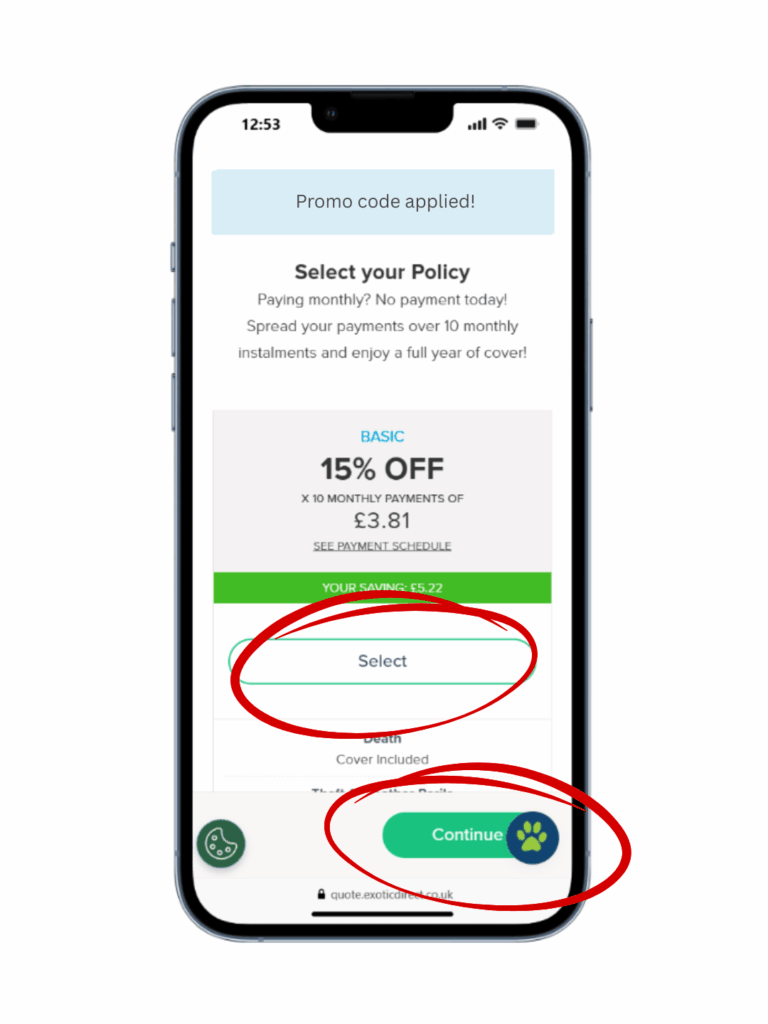
On the next screen, your promo code will have been applied, and you’ll see your new, discounted prices clearly displayed. If everything looks correct, click “Continue” to move forward to the payment page and finalise your policy.
Need a helping hand?
If you have any trouble applying your code or if the discount doesn’t seem to be showing correctly, please don’t worry. Our friendly team is known for excellent customer service, and we are more than happy to help you over the phone on 0345 982 5505.